
RimWorld Dev Mode and Cheats on PC
RimWorld's cheats are a checkbox. Tick Development Mode in the options and a row of tools appears at the top of the screen: god mode for instant, free building, and a debug actions menu that spawns items, sets skills, heals pawns and calls raids. RimWorld has no Steam achievements, so nothing is locked away when you use it.
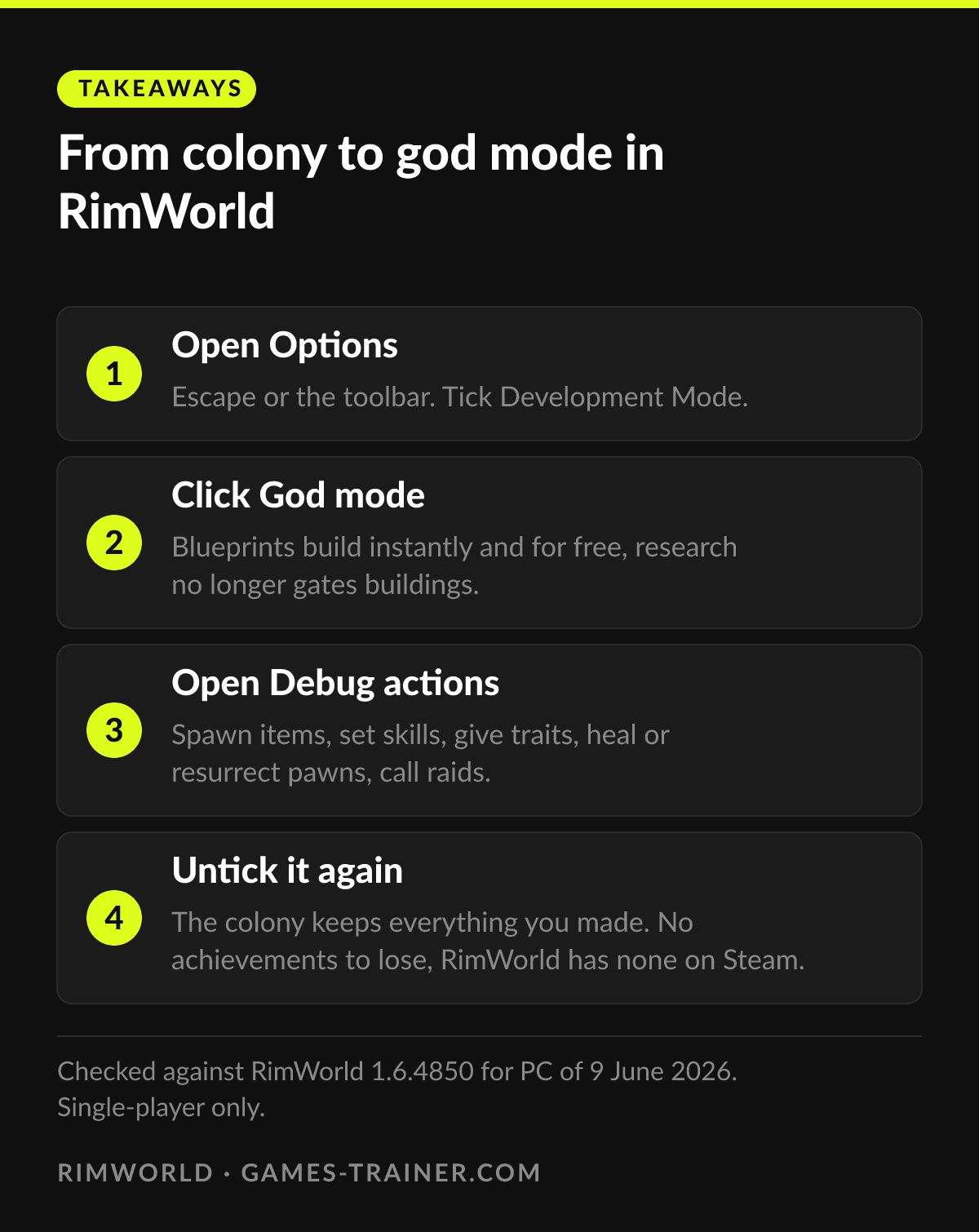
Takeaways From colony to god mode in RimWorld
- 1 Open Options Escape or the toolbar. Tick Development Mode.
- 2 Click God mode Blueprints build instantly and for free, research no longer gates buildings.
- 3 Open Debug actions Spawn items, set skills, give traits, heal or resurrect pawns, call raids.
- 4 Untick it again The colony keeps everything you made. No achievements to lose, RimWorld has none on Steam.
A checkbox, not a console
RimWorld never got a command line, and it does not need one. Press Escape, open Options and tick Development Mode. A row of small icons appears along the top edge of the screen, and that row is the whole cheat system: a debug log, tweak values, view settings, the debug actions menu, the inspector, god mode and a search bar that finds any of them by name.
The RimWorld wiki page on development mode describes each button. It also carries a warning of its own: the page is marked for a rewrite because the menus changed a lot in version 1.4, so a label here and there may have moved. The current PC version is 1.6.4850 of 9 June 2026, according to the wiki’s version history.
One thing you do not have to weigh. The Steam store page lists single-player, Workshop and cloud saves among the features, and no Steam achievements. Dev mode costs you nothing but the feeling that the colony earned its walls.
God mode: instant building, poor mining
God mode is one click in that row. With it on, buildings you can place no longer need research. A blueprint is built the moment you place it, without materials. Deconstruction is instant and still hands back the resources. Mining orders finish at once, with a yield of 1, which is the detail people miss: god mode is for building, and a poor way to farm steel.
It is a toggle. Click it again and the colony runs under normal rules, with everything god mode built still standing.
The debug actions people actually use
The debug actions menu is a long list, and the search bar in the dev row finds entries by name. These are the ones that answer the usual reasons for opening it:
- Try place near thing spawns any item next to the spot you click. Spawn Weapon and Spawn apparel are shortcuts for those two groups.
- Set Skill, Max Skill and T: Max All Skills fix a pawn who will never learn to cook.
- Give trait adds a trait to the selected pawn.
- T: Heal random injury, Restore Body Part and Resurrect undo the worst raid of the run.
- Execute raid with points and Do incident call events on purpose, for testing a defense before the real one arrives.
- Set terrain changes the floor or ground under the cursor.
The wiki has one line in bold for this menu, and it concerns T: Kill, T: Delete and T: Discard. They do what they say to whatever you click next, and there is no undo. Save first.
If the checkbox is missing, someone used the option to disable dev mode for good. That option writes an empty file called DevModeDisabled into RimWorld’s config folder. Delete the file and the checkbox is back.
Where the trainer is different
Dev mode acts once. You heal a pawn, and the next raid hurts him again. You set a skill, and the colony’s moods keep sliding the way they did before. The RimWorld trainer works the other way round: its 29 cheats are states that hold while they are switched on.
Thirteen of them are free, which is a large share. Godmode, unlimited power, fast research, fast learning, fast crafting, fast caravans, fast ecology, instant recruit, disable diseases, no damage, no player damage, a 0.75x hunger rate and a mood floor of 15 percent. Mood is where the trainer goes furthest. Floors at 15, 30, 50 and 90 percent take up four slots, next to switches for sleep, boredom and recreation. A colony that never breaks is a different game from one that breaks once a season, and dev mode has no single button for that.
The premium rest covers hunger from 0.25x up to 3x and no hunger at all, apparel and weapon durability, tainted clothes, and set item amount on the stack under your mouse.
| You want | Use |
|---|---|
| A wall built now, a dead colonist back, a test raid | Dev mode |
| Moods that do not crash, research at speed, no diseases | Trainer |
| A specific item on the map | Either: Try place near thing, or set item amount on an existing stack |
Both are single-player tools, and they do not get in each other’s way. You can run the trainer’s mood floor and still keep dev mode ticked for the odd emergency.
 Infographic From colony to god mode in RimWorld Click to enlarge
How do you enable dev mode in RimWorld?
Open the Options menu with Escape or from the toolbar and tick the Development Mode checkbox. The dev tools appear as a row of icons at the top of the screen.
Does dev mode disable achievements in RimWorld?
There is nothing to disable on PC. The Steam store page of RimWorld does not list Steam Achievements among its features.
What does god mode do in RimWorld?
Buildings no longer need research, blueprints are built instantly at no cost, deconstruction is instant and still returns resources, and mining orders finish at once with a yield of 1.
Why can I not find the Development Mode checkbox?
Someone may have used the option to disable it permanently. That creates an empty file called DevModeDisabled in RimWorld's config folder. Delete the file and the checkbox comes back.
How do you spawn items in RimWorld?
With dev mode on, open the debug actions menu and use Try place near thing, then click the spot on the map. Weapons and apparel have their own spawn entries.